
What’s Inside Quick Audience Profit System? Full Course Breakdown
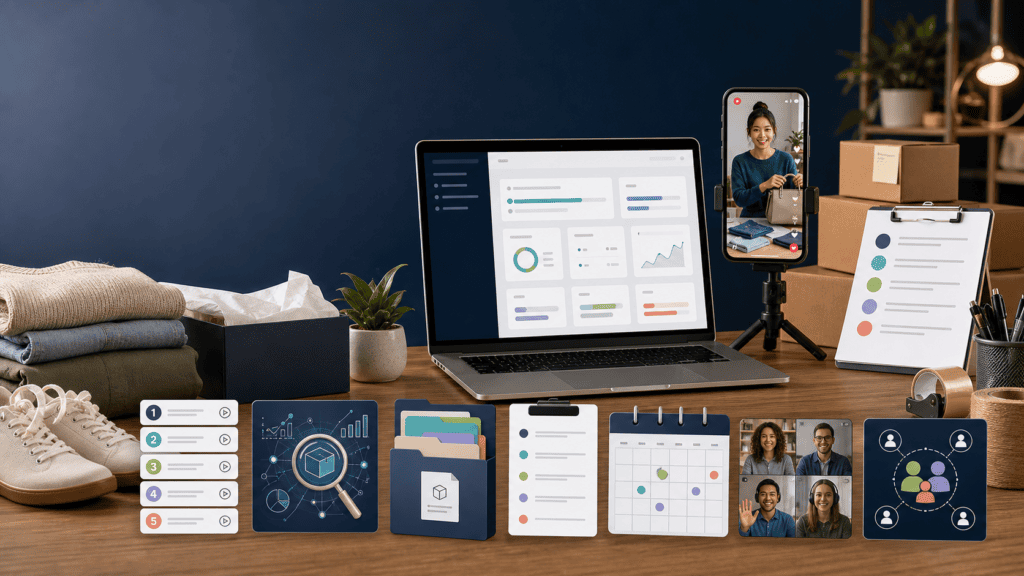
Quick Audience Profit System combines a five-part training program with product-sourcing resources, AI-assisted software, live-show templates, group coaching, community support and a guided 30-day launch sprint.
It is intended to take someone from researching Whatnot to sourcing products and running live-selling shows.
The important distinction is that Quick Audience provides education and support. It does not provide guaranteed seller approval, free inventory, automatic buyers or guaranteed income.
Here is the short version of what buyers are reportedly receiving:
- Five-part Quick Audience core training
- AI-powered product sourcing software
- Product and supplier database
- Live-show scripts and templates
- Faceless-selling guidance
- Twelve months of live group coaching
- Private seller community
- Guided 30-day launch sprint
- Weekly sourcing information
- Approximately 40 hours of additional material and replays
- Optional $197 premium implementation upgrade
This page examines each component, what it is designed to help with and what buyers will still need to do themselves.
Quick Audience Profit System contents at a glance
| Program component | Intended purpose | Important limitation |
|---|---|---|
| Five-part core training | Explain the complete live-selling process | Training must be implemented |
| Category and product guidance | Help users choose what to sell | Product demand is never guaranteed |
| AI sourcing software | Simplify product research | Software cannot predict sales with certainty |
| Supplier database | Provide potential inventory sources | Buyers must verify suppliers and margins |
| Show scripts and templates | Help users plan and present shows | Scripts cannot replace product knowledge |
| Faceless-selling methods | Allow product-focused broadcasts | Voice interaction may still be required |
| 12 months of coaching | Provide ongoing group support | This is not unlimited private coaching |
| Private community | Connect members and share experience | Community value depends on participation |
| 30-day launch sprint | Encourage users to take action | Launching does not guarantee profitability |
| Training library and replays | Provide additional examples and reference material | More content does not automatically produce better results |
| Premium upgrade | Offer additional implementation support | Costs $197 beyond the main purchase |
How is the core training organized?
The public offer materials describe five principal training areas rather than publishing every individual lesson title.
Based on those materials, the core curriculum appears to follow the natural order of launching a live-selling business:
- Understanding Whatnot and the business model
- Selecting a product category
- Finding and pricing inventory
- Planning and running live shows
- Fulfilling orders and growing repeat sales
Specific lesson names and contents can change as the program is updated. Confirm the current member-area outline before purchasing if a particular topic is essential to you.
Part 1: Understanding Whatnot and live commerce
The first part introduces the platform and explains how live selling differs from an ordinary ecommerce listing.
On a conventional marketplace, buyers generally search for a product, study photographs and decide whether to purchase. During a live-selling show, the seller presents products through video while viewers comment, ask questions and bid or buy in real time.
This section is expected to address:
- How live commerce works
- Auctions versus fixed-price sales
- How buyers discover shows
- The role of followers and repeat viewers
- What equipment a beginner needs
- Basic seller-account preparation
- What makes a category suitable for live selling
- Revenue versus net profit
- Common beginner expectations and mistakes
This foundation is useful because live selling combines retail, presentation, entertainment and customer service.
A seller does not necessarily need a professional studio. A modern smartphone, reliable internet connection, stable tripod and suitable lighting may be enough to begin.
However, students must obtain their own seller accounts. Whatnot says applicants must live in a supported country, and some gated categories require additional approval. Its official seller-application guide provides the current requirements.
Buying Quick Audience cannot override those platform rules.
Part 2: Choosing a category and product strategy
The second training area focuses on deciding what to sell.
This decision can determine:
- How much inventory costs
- How products are stored
- How quickly items can be presented
- Average selling prices
- Shipping difficulty
- Potential profit margins
- How much specialist knowledge is required
- Whether buyers are likely to return
The seller stories supplied with the promotion demonstrate several different approaches:
| Product strategy | Seller example |
|---|---|
| Vintage goods and antiques | Amanda |
| Children’s clothing sold through rapid auctions | Kaleigh |
| Collectible coins | Brandon |
| Lego minifigures | Alyssa |
| Vintage and handmade products | Merre |
| Lavender coffee, tea and honey | Kyle |
| Crystals and artwork | Caitlyn |
These examples suggest that Quick Audience is not restricted to a single category.
The training may be especially useful for people who already have:
- A collection
- A handmade product
- A retail or boutique inventory
- Thrift-store sourcing experience
- Unsold marketplace stock
- Specialist knowledge of a hobby
- Access to local estate sales or liquidation products
The course cannot choose a perfect category automatically. Students still need to consider personal knowledge, sourcing access, available capital and buyer demand.
Part 3: Sourcing products and calculating margins
After choosing a category, the program moves into inventory sourcing.
Possible sourcing channels include:
- Items already owned
- Thrift and charity stores
- Estate and garage sales
- Facebook Marketplace
- Local auctions
- Clearance sections
- Liquidation suppliers
- Wholesale companies
- Consignment arrangements
- Handmade or original products
- Bulk collections
Starting with products you already own may lower the initial financial risk. Building a repeatable business usually requires a reliable source of additional inventory.
A good sourcing lesson should teach students to calculate the maximum amount they can pay for an item before buying it.
For example:
Maximum product cost = Expected selling price − platform fees − packaging − other expenses − desired profit
This is more useful than selecting products solely because they appear popular.
Whatnot currently deducts commission and payment-processing fees from completed sales. Rates differ by country and category, so students should check Whatnot’s current seller-fee guide when calculating margins.
Questions that should be answered before sourcing
- What has the product recently sold for?
- Is that price typical or exceptional?
- How many comparable sellers are active?
- Is the product easy to demonstrate live?
- Can it be shipped safely and affordably?
- Is authenticity difficult to establish?
- How much capital will be tied up?
- Can the same product be sourced repeatedly?
- What happens if it does not sell?
Software and supplier lists may make research faster. They do not remove these decisions.
The AI-powered product sourcing software
The sourcing software is one of Quick Audience Profit System’s most heavily promoted components.
It is advertised as helping students research possible products and reduce the amount of manual guesswork involved in choosing inventory.
Depending on its current features, it may help users:
- Explore potential categories
- Generate product ideas
- Organize sourcing research
- Compare possible items
- Identify factors affecting demand
- Create supplier or inventory shortlists
- Prepare questions before purchasing stock
This could be valuable for beginners who do not know where to start.
However, “AI-powered” should not be interpreted as “guaranteed profitable.” The software cannot know every variable affecting a seller’s result, including:
- The exact condition of an item
- Local acquisition cost
- Shipping damage
- Show attendance
- Buyer preferences
- Sudden marketplace competition
- Platform policy changes
- The seller’s presentation ability
- Refunds and cancellations
Treat the software as a research assistant—not as an automatic product-selection machine.
Before purchasing, ask whether software access is permanent, limited to one year or subject to a future subscription.
The supplier and product database
Quick Audience reportedly provides a database of suppliers, categories and potential product sources.
A curated supplier resource may save time because sourcing wholesalers independently can involve:
- Comparing minimum order quantities
- Verifying contact details
- Checking product authenticity
- Evaluating return policies
- Calculating shipping costs
- Avoiding unreliable companies
- Reviewing delivery times
- Comparing domestic and overseas sourcing
Nevertheless, inclusion in a course database does not guarantee that every supplier will suit every student.
Before placing a large order, independently verify:
- The supplier’s legal and contact information
- Product authenticity
- Minimum order requirements
- Delivery charges
- Return and damage policies
- Payment protections
- Expected resale value
- Total landed cost
- Marketplace product restrictions
- Whether other sellers already offer the same inventory
Testing a small order is generally safer than committing a large portion of available capital immediately.
Part 4: Planning a live show
This section is intended to convert inventory into a properly organized livestream.
A show requires more preparation than pointing a phone at a table and pressing “Go Live.”
The training reportedly covers areas such as:
- Choosing a show theme
- Scheduling shows
- Writing titles and descriptions
- Organizing products in selling order
- Selecting starting prices
- Preparing auction lengths
- Arranging lighting and camera angles
- Testing sound and internet quality
- Creating an opening script
- Responding to questions
- Maintaining momentum
- Closing a show
A seller might arrange products by price, category, size, rarity or likely demand.
The correct approach depends on the business model. Kaleigh’s rapid children’s-clothing auctions require a different pace from Amanda’s vintage-item presentations or Kyle’s coffee-roasting demonstrations.
Live-show scripts and templates
Scripts can be useful when a beginner is unsure what to say.
Quick Audience’s templates are intended to provide a framework for:
- Opening the broadcast
- Explaining how the show works
- Welcoming viewers
- Introducing products
- Describing condition
- Starting auctions
- Handling quiet moments
- Encouraging questions
- Promoting upcoming items
- Closing the show professionally
A simple product presentation might include:
- What the product is
- Its condition
- Measurements or specifications
- Any flaws
- Who it may suit
- The starting price
- Shipping or bundle information
Scripts reduce uncertainty, but reading a script mechanically can make a show feel impersonal. The best use is to learn the structure and gradually adapt it to your own voice.
Faceless live-selling instruction
The program also addresses sellers who do not want their faces visible.
Possible faceless setups include:
- Pointing the camera at a display table
- Showing only the seller’s hands
- Using a rotating product stand
- Demonstrating products from an overhead angle
- Wearing distinctive gloves or creating a recognizable visual theme
The supplied case studies include Brandon, Alyssa and Caitlyn as examples of sellers who reportedly operate without showing their faces.
This is a meaningful feature for privacy-conscious or camera-shy users.
Faceless does not mean silent. Sellers generally still need to describe products, answer comments and maintain enough energy to keep viewers interested.
Part 5: Running shows and building repeat buyers
Once a show begins, the seller must manage several tasks simultaneously:
- Presenting products
- Monitoring comments
- Answering questions
- Tracking auction progress
- Introducing upcoming items
- Welcoming new viewers
- Handling technical problems
- Maintaining an appropriate pace
The training is expected to explain how to turn isolated transactions into a repeat audience.
Potential retention strategies include:
- Going live on a consistent schedule
- Specializing in a recognizable niche
- Shipping promptly
- Describing flaws honestly
- Remembering frequent customers
- Creating themed shows
- Offering relevant bundles
- Previewing future inventory
- Adding thoughtful packaging touches
Several supplied seller stories emphasize consistency.
Amanda reportedly hosts one scheduled weekly show. Caitlyn maintains the same weekly time. Kyle uses product demonstrations to attract people interested in his lavender goods.
The broader lesson is that buyers may return for the seller’s format and community—not only for one particular product.
Shipping and fulfillment training
A sale is not complete when the auction ends.
Sellers must accurately match each product to its buyer, package it safely and meet the platform’s shipping requirements.
Fulfillment training should address:
- Organizing sold inventory
- Printing labels
- Choosing packaging
- Protecting fragile products
- Bundling multiple purchases
- Avoiding order mix-ups
- Meeting shipping deadlines
- Handling damaged or missing orders
- Tracking actual fulfillment costs
This part is easy to underestimate.
A show that generates hundreds of low-priced sales can also create hundreds of fulfillment tasks. High sales volume is only beneficial when the seller can pack accurately and preserve a worthwhile margin.
Twelve months of live group coaching
Quick Audience advertises twelve months of live group coaching.
The longer support period may help members troubleshoot problems that do not appear until after their first show, such as:
- Low attendance
- Products selling below cost
- Sourcing shortages
- Poor repeat-buyer rates
- Shipping inefficiency
- Category changes
- Scaling inventory
- Hiring assistance
- Improving show formats
Group coaching also allows members to learn from questions raised by other sellers.
Before enrolling, confirm:
- The coaching frequency
- The published schedule
- Applicable time zone
- Whether recordings are provided
- Who conducts the calls
- Whether members can submit stores for review
- How long replays remain available
- Whether coaching starts immediately after purchase
The offer describes group support, not unlimited private coaching with Rachel.
Private Quick Audience community
The private community is intended to connect members as they launch and operate their stores.
A useful seller community can provide:
- Accountability
- Show feedback
- Technical troubleshooting
- Category discussions
- Product research ideas
- Supplier experiences
- Shipping suggestions
- Encouragement after a difficult show
- Examples of successful presentation formats
The value of any community depends on member activity and moderation.
It is worth asking where the community is hosted, how frequently Rachel’s team participates and whether access ends after the coaching year.
The 30-day live launch sprint
The 30-day sprint is designed to prevent students from purchasing the course and never implementing it.
Instead of consuming all the training before taking action, members are reportedly guided through specific launch assignments.
A practical 30-day progression could look like this:
Week 1: Eligibility and business planning
- Check seller eligibility
- Study platform rules
- Choose a category
- Set a startup budget
- Begin product research
Week 2: Inventory and show preparation
- Source a small test inventory
- Calculate potential margins
- Prepare the filming area
- Test the phone, lighting and audio
- Draft product descriptions
Week 3: Schedule and run a first show
- Create the show listing
- Organize products
- Practice the opening
- Run the broadcast
- Pack and ship completed orders
Week 4: Review and improve
- Calculate net profit
- Identify the strongest products
- Review buyer questions
- Improve show pacing
- Schedule the next broadcast
This is an example of how to use the program—not a promise that every student will complete identical assignments or become profitable within 30 days.
Additional training and replay library
The package reportedly contains approximately 40 hours of additional training and recordings.
A larger library can be helpful for returning to specific topics when they become relevant.
However, buyers should avoid attempting to watch every hour before taking the first practical step. Information overload can become another form of procrastination.
A more effective sequence is:
- Watch the lesson needed for the current stage.
- Complete the related task.
- Record questions.
- Use coaching or community support.
- Continue to the next stage.
The objective is to launch and improve a business—not simply complete a video library.
What is the $197 premium upgrade?
A separate $197 premium option is reportedly presented after the main purchase.
The upgrade may include:
- Smaller-group implementation calls
- Additional accountability
- Priority support
- Faster feedback
- More direct troubleshooting
This could benefit buyers who expect to need closer guidance.
It is not necessarily required for using the core system. Buyers should understand exactly how premium support differs from the twelve months of group coaching already included.
Ask:
- How many smaller-group calls are included?
- Who conducts them?
- Is attendance capped?
- Are recordings available?
- Does premium access expire?
- Is it refundable with the core purchase?
Including the upgrade, the potential upfront cost rises from $2,497 to $2,694.
Read our complete Quick Audience price and payment analysis before selecting an option.
What is not included?
The following should not be assumed to come with Quick Audience Profit System:
Guaranteed seller approval
Whatnot controls seller eligibility and category approval.
Physical inventory
Students must supply, make or purchase products themselves.
Shipping equipment and materials
Packaging, labels, scales, tape, storage and other equipment may create additional expenses.
Guaranteed marketplace traffic
The platform can provide discovery, but no course can guarantee how many people will attend a show.
Guaranteed sales or profit
Product demand, presentation, prices, fees and execution affect results.
An independent ecommerce platform
Students remain dependent on Whatnot’s marketplace rules and account systems.
A completely automated business
Sourcing, presenting, packing and customer service require ongoing work.
Unlimited personal coaching
The standard offer emphasizes group coaching. Private access should not be assumed.
Evidence that featured earnings are typical
Promotional case studies illustrate possible outcomes, not average results.
The official Quick Audience workshop also states that featured results are not guaranteed and that individual experiences vary.
How the program components work together
The system is easier to understand as four connected layers:
| Layer | Components | Objective |
|---|---|---|
| Education | Five-part training and video library | Explain the business |
| Research | AI software and supplier database | Help identify products |
| Execution | Scripts, templates and 30-day sprint | Move students toward launching |
| Support | Coaching and private community | Help resolve problems and improve |
Buying only gives access to these layers. Results depend on moving through all four.
Someone who watches the training but never obtains inventory will not launch. Someone who sources products but avoids going live will not make live sales. Someone who sells successfully but ignores costs may generate revenue without meaningful profit.
Who will get the most value from the contents?
Complete beginners
Beginners may benefit from the organized sequence, templates and accountability. They will need extra care when budgeting for inventory.
Existing resellers
People already selling on eBay, Etsy, Poshmark, Amazon or Facebook Marketplace may gain the most immediate benefit because they already understand sourcing and fulfillment.
Makers and product creators
Artists, farmers and handmade-product sellers may use live shows to demonstrate how products are created and build closer buyer relationships.
Collectors
People with specialist knowledge of coins, cards, toys, vintage goods or similar products can use that expertise during live presentations.
Camera-shy sellers
Faceless methods may make the format more accessible, although speaking and interacting remain important.
Passive-income seekers
The contents are unlikely to suit someone seeking a hands-off or automated income stream.
Is the training content worth the price?
The standard price is reported as:
- $2,497 upfront
- Three payments of $997, totaling $2,991
Whether the contents justify that price depends on how much the buyer values:
- An organized curriculum
- Sourcing assistance
- Software access
- A supplier database
- Show templates
- One year of group coaching
- Community access
- Launch accountability
The information needed to sell on Whatnot can also be researched independently. The paid program’s main value proposition is reducing trial and error and providing support—not exclusive permission to use the marketplace.
If you learn effectively on your own and already understand ecommerce, the price may be difficult to justify.
If you need structure, accountability and ongoing help—and can afford both the tuition and operating costs—the package may be more valuable.
See our Quick Audience pros and cons for a side-by-side evaluation.
Questions to ask before purchasing
Before ordering, obtain clear answers to the following:
- What are the current titles of all five training sections?
- How long does course access last?
- How long is the sourcing software included?
- Are future software fees expected?
- How frequently are coaching calls held?
- Are all calls recorded?
- Where is the community hosted?
- How long does community access last?
- What does the 30-day sprint require?
- What is included in the $197 premium upgrade?
- Is Whatnot accepting sellers in my location?
- How much additional money will I need for inventory?
- What are the exact refund requirements?
- Does the current checkout match the publicly advertised offer?
Save copies of the offer and guarantee displayed when you purchase.
Final assessment of what’s included
Quick Audience Profit System is more than a basic collection of videos. The advertised package combines education, software, sourcing resources, templates, coaching, community support and a guided launch process.
Its most valuable components are likely to be:
- The structured implementation sequence
- Product research resources
- Live-show templates
- Twelve months of support
- The 30-day action plan
The limitations are equally important:
- Inventory is not included.
- Whatnot approval is not guaranteed.
- Software cannot predict profitable products.
- Group coaching is not private consulting.
- Buyers must still run and fulfill the business.
- Earnings are not guaranteed.
Our conclusion is:
Quick Audience contains the major resources a beginner would expect from a guided Whatnot launch program, but its value depends on using those resources to complete real business tasks.
Watch the free training, confirm the current contents and calculate your complete startup budget before enrolling.
Frequently asked questions
How many modules are inside Quick Audience Profit System?
The offer describes five central training areas covering the platform, product selection, sourcing, live shows, fulfillment and business growth. Confirm the current lesson list before ordering.
Does Quick Audience include software?
Yes. AI-assisted product sourcing software is advertised as part of the package. Buyers should confirm how long access lasts and whether future fees apply.
Does the course provide products to sell?
No. Students must supply, source or create their own inventory.
Is coaching included?
The standard offer advertises twelve months of live group coaching.
Is private coaching included?
Unlimited private coaching is not advertised as part of the standard package. A $197 premium upgrade reportedly provides smaller-group implementation support.
Does Quick Audience include show scripts?
Yes. Live-show templates and scripts are advertised to help beginners structure product presentations and manage their broadcasts.
Can the course help me sell without showing my face?
The training reportedly covers faceless methods in which the camera focuses on the products or the seller’s hands.
Is the 30-day sprint a profit guarantee?
No. The sprint is intended to help members launch and implement. It does not guarantee sales or profit within 30 days.
Is inventory included in the course price?
No. Inventory, equipment, packaging and other operating expenses are separate.
Can I join from any country?
Course access and Whatnot seller eligibility are different matters. Check that Whatnot currently supports sellers in your location before purchasing.